
Blog posts
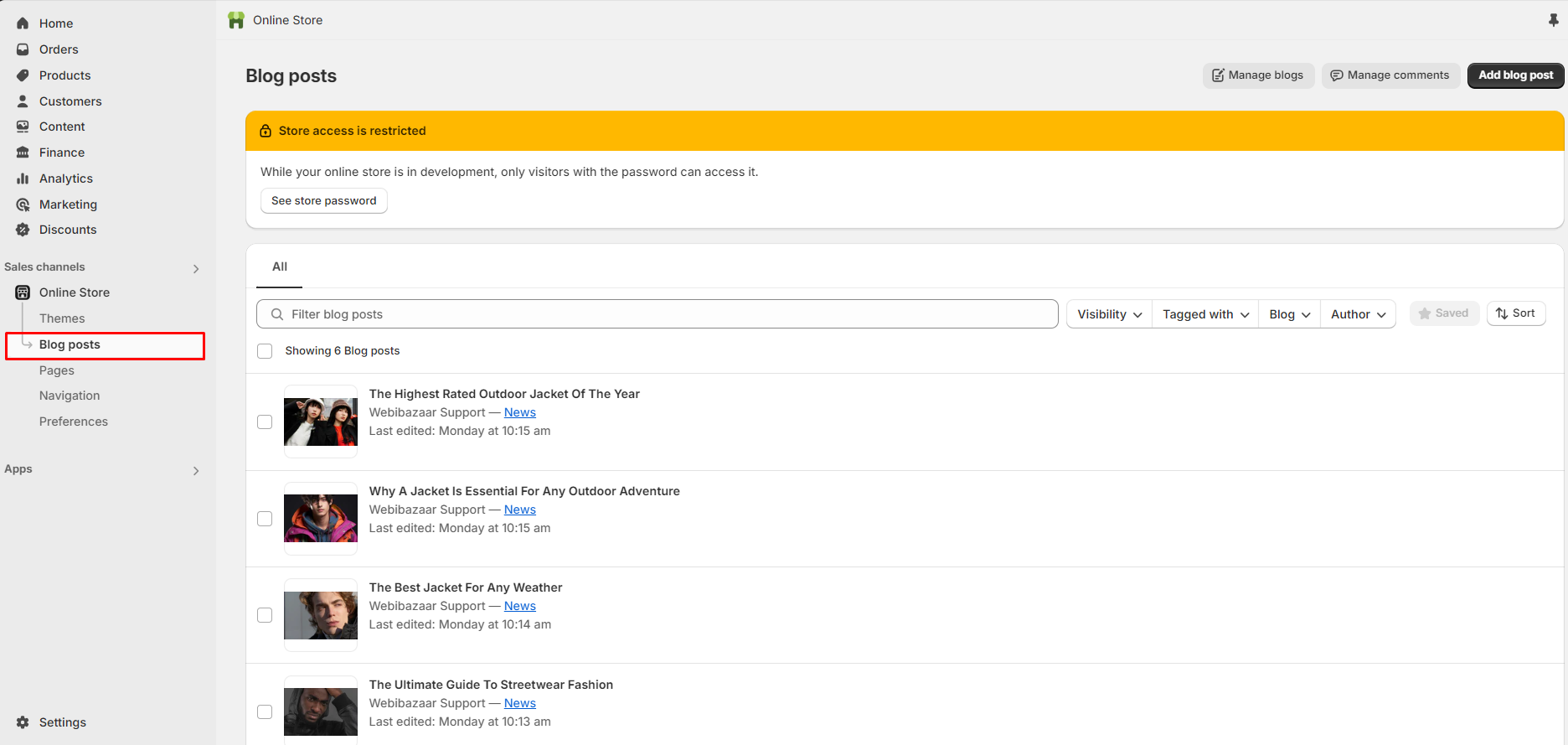
The blog section is for showing blogs and users can also use this to upload information about the theme’s latest collection and news.
To add a Blog, go to Blog posts > Add blog post Add multiple blogs.
Color scheme
In this section, you can change the background and foreground color of a section using the color scheme. We provide total scheme 13. User can select any color scheme out of scheme 13.
Scheme 1
Scheme 2
Scheme 3
Scheme 4
Scheme 5
Scheme 6 and so on.
Blog layout
Customization of the "Blog layout" in the blog posts is as follows:
Default
Sidebar
Applicable on desktop.
Show blog image first
Enable sidebar option and you can see blog image first setting. In list blog image show first or last.
Heading
Text
Enter text to defines the main heading of the section.
Size
Following is the font size customization of the heading of the section:
Small
Medium
Large
Alignment
Customization of the "Alignment" in this is as follows:
Left
Center
Blog
Click on "Select blog" to show the blogs in the section and select the blog collection.
Display type
Customization of the "Display type" in the blog posts is as follows:
Grid
Carousel
Number of blog posts to show
"Number of blog posts to show" is to specify how many blog posts to show in a section. You can show a minimum of “2” and a maximum of “5” blog posts.
Number of columns on desktop
"Number of columns on desktop" is to customize the column on the desktop screen. You can show a minimum of “2” and a maximum of “4” blog posts.
Card color scheme
In this section, you can change the background and foreground color of a card using the color scheme. We provide total scheme 13. User can select any color scheme out of scheme 13.
Scheme 1
Scheme 2
Scheme 3
Scheme 4
Scheme 5
Scheme 6 and so on.
Design type
Customization of the "Design type" in the blog posts is as follows:
Content below the image
Content over the image
Style
Customization of the "Style" in the blog posts is as follows:
Standard
Card
Featured image height
Customization of the "Featured image height" in the blog posts is as follows:
Adapt to image
Small
Medium
Large
Show blog cards reverse evenly
By enabling this, you can see reverse even number post.
Show border around card
Enable this checkbox to show border around the article card.
Text alignment
Customization of "Text alignment" is as follows:
Left
Center
Right
Title size
Customization of "Title size" is as follows:
Small
Medium
Large
Show author
By enabling this checkbox you can show “Blog author” in the section.
Show comments
By enabling this checkbox you can show “Blog comments” in the section.
Date
Show date By enabling this checkbox you can show “Blog date” in the section. Icon Select icon from given list to show with the date.
Show excerpt
By enabling this checkbox you can show excerpt in the blog posts cards.
Tags
Show tags By enabling this checkbox you can show tags in the section. Background color
Customize tag background color to set color code in this setting. Text color Customize tag text color to set color code in this setting.
Read more button
By enabling this checkbox, you can see "Read more" button.
Read more style
Customization of the "Read more" style in the blog posts section is as follows:
Link
Outline
Solid
"View all" button
"View all" button By enabling this checkbox, you can see "View all" button if list includes more blog posts than shown.
Label
Use "Label" to add a label to the Button in the section.
Style
Customization of the "View all" style in the blog posts section is as follows:
Link
Outline
Solid
Position
Customization of the "View all button position" style in the blog posts section is as follows:
Top
Bottom
Carousel
Style
This feature specifies the design and appearance of pagination controls like below:
None
Dots
Arrows
Enable autoplay
Enable this checkbox to automatically rotate the images in the blog posts.
Autoplay interval
Use the bar to set the auto-rotate time of the blog posts slide. You can set a minimum of “3” seconds and a maximum of “9” seconds.

Last updated